
Is your Samsung AC thermostat not working and leaving you frustrated with the heat? You rely on your air conditioner to keep your home comfortable, but when the thermostat acts up, everything feels off.
Don’t worry—this problem is more common than you think, and fixing it might be simpler than you expect. You’ll discover easy steps to troubleshoot your Samsung AC thermostat and get your cooling system back on track quickly. Keep reading to take control of your comfort again.

Credit: www.youtube.com
Page Contents
Common Thermostat Issues
Thermostats control the temperature in your home. When a Samsung AC thermostat stops working, it causes discomfort. Understanding common thermostat issues helps with quick fixes. These problems often affect the display, temperature reading, or communication with the AC unit.
Unresponsive Display
The thermostat screen may go blank or freeze. This stops you from adjusting settings or checking the temperature. Power issues like dead batteries or loose wires often cause this. Sometimes, a software glitch can freeze the display. Resetting the thermostat or replacing batteries can solve this problem.
Incorrect Temperature Reading
The thermostat may show the wrong temperature. This leads to wrong cooling or heating levels. Dust or dirt on the sensor can cause false readings. Placing the thermostat near heat sources also affects accuracy. Cleaning the sensor or moving the device helps fix this issue.
Thermostat Not Communicating With Ac
The thermostat might fail to send commands to the AC unit. This stops the air conditioner from turning on or off. Loose wires or broken connectors often cause communication problems. Wireless thermostats may face signal interference. Checking connections or resetting the system can restore communication.
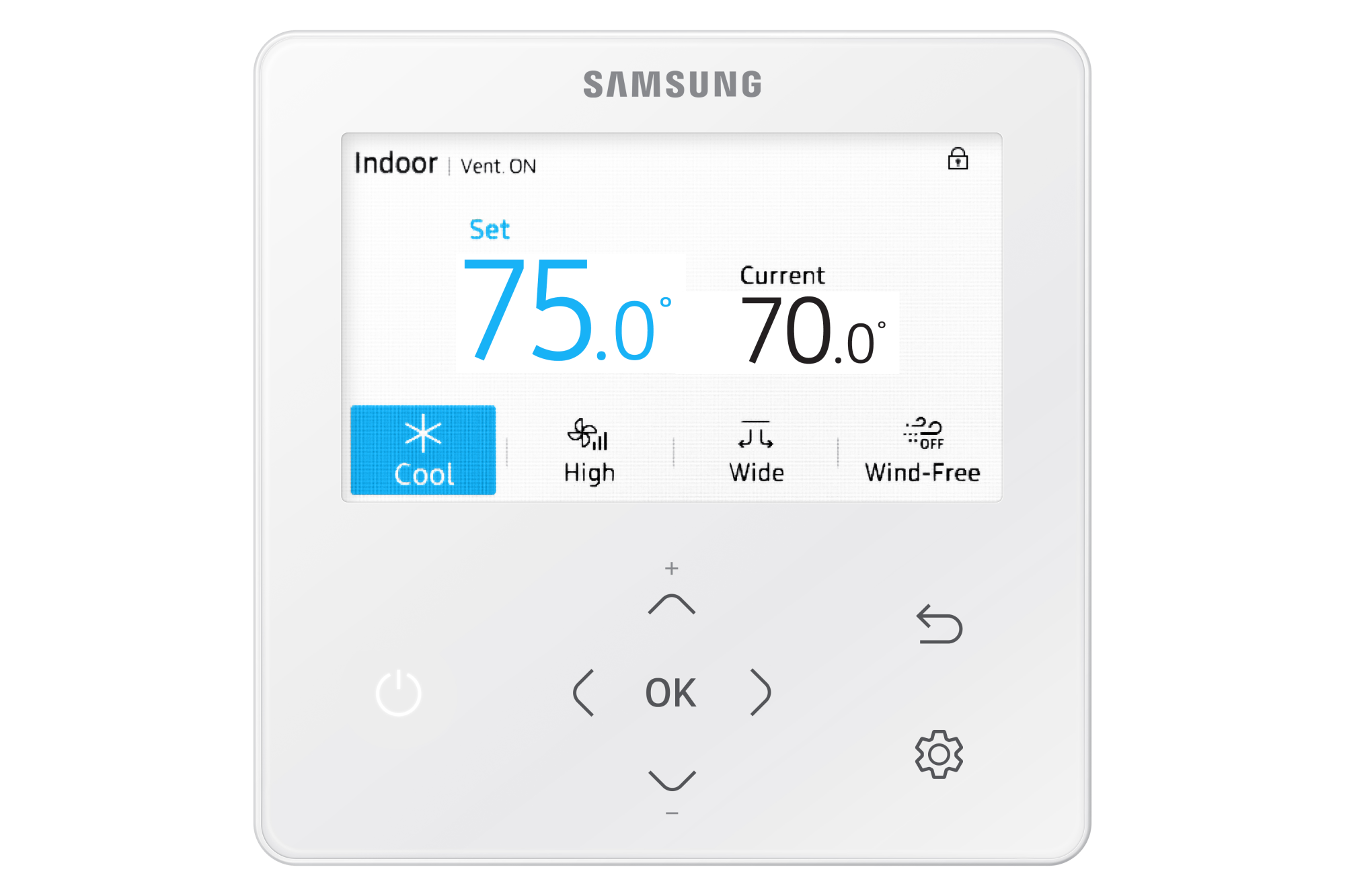
Credit: www.samsunghvac.com
Basic Troubleshooting Steps
Basic troubleshooting helps find simple fixes for a Samsung AC thermostat not working. It saves time and avoids costly repairs. Start with easy steps to check the main causes. These steps guide you to identify the problem fast. Follow them carefully for best results.
Check Power Supply
Ensure the thermostat has power. Look for a power switch or button. Check the circuit breaker or fuse box. A tripped breaker can stop the thermostat from working. Replace dead batteries if your thermostat uses them. No power means no control over the AC.
Inspect Thermostat Wiring
Turn off the power before inspecting wires. Remove the thermostat cover gently. Look for loose or disconnected wires. Wires should be firmly attached to terminals. Damaged or frayed wires can cause issues. Tighten or reconnect wires carefully to restore connection.
Reset The Thermostat
Resetting can clear minor errors in the system. Find the reset button or switch on the thermostat. Hold the button for a few seconds until it restarts. Some models reset by removing batteries for a minute. After reset, set your desired temperature again.
Adjusting Thermostat Settings
Adjusting your Samsung AC thermostat settings is key to fixing many common problems. Small changes in settings can bring big improvements. This section guides you through simple steps to check and correct your thermostat settings. Follow these tips to help your air conditioner work properly again.
Verify Mode And Temperature Settings
Check the thermostat mode first. Make sure it is set to “Cool” for cooling. Sometimes the mode switches to “Fan” or “Heat” by mistake. Also, look at the temperature setting. The thermostat should be set lower than the room temperature for cooling. Setting it too high will stop the AC from turning on. Adjust these controls carefully to match your comfort needs.
Calibrate The Thermostat
Thermostat calibration ensures accurate temperature readings. Place a reliable thermometer near the thermostat. Compare the readings on both devices. If the thermostat shows a different temperature, recalibrate it. Consult your Samsung AC manual to find calibration steps. Proper calibration helps your AC run efficiently and keeps the room comfortable.
Update Firmware If Available
Modern Samsung thermostats may have firmware that controls their functions. Check if there is a firmware update available. Updates can fix bugs and improve performance. Visit Samsung’s official website or use the Samsung app to check updates. Install updates carefully to avoid errors. Updated firmware keeps your thermostat responsive and reliable.
Advanced Fixes
Advanced fixes can solve stubborn Samsung AC thermostat problems. These steps go beyond basic checks and require careful attention. Follow these tips to bring your thermostat back to life quickly and safely.
Replace Thermostat Batteries
Old or weak batteries often cause thermostat issues. Remove the thermostat cover to access the battery compartment. Use fresh batteries matching the recommended type. Place them correctly, following the positive and negative signs. Replace the cover and test the thermostat function. This simple step can fix power-related problems fast.
Clean The Thermostat Sensors
Dust and dirt can block the thermostat sensors. Gently wipe the sensors with a soft, dry cloth. Avoid using water or cleaning chemicals. Dirty sensors may send wrong temperature signals to the AC unit. Cleaning improves sensor accuracy and system response. Regular cleaning keeps your thermostat working smoothly.
Check For Software Glitches
Software glitches might cause thermostat errors or freezing. Restart the thermostat by turning it off and on. Look for available firmware updates on Samsung’s support site. Install updates following the instructions carefully. Reset the thermostat settings to default if problems persist. Software refresh can restore normal operation quickly.
When To Call A Professional
Knowing when to call a professional for a Samsung AC thermostat issue is important. Some problems need expert help to avoid damage or safety risks. A trained technician can diagnose and fix complex problems quickly.
Persistent Malfunctions
If your thermostat keeps showing errors or stops working often, it needs expert attention. Temporary fixes may not solve the real issue. Persistent malfunctions can affect your AC’s efficiency and comfort.
Professionals have tools and skills to find hidden faults. They ensure the thermostat works smoothly again. Avoid waiting too long, as the problem may get worse.
Electrical Issues
Thermostats involve wiring and electrical parts. Any sign of sparks, burning smells, or power failure requires immediate professional help. Handling electrical problems without knowledge is risky and unsafe.
Experts check wiring, circuit boards, and connections safely. They prevent fire hazards and protect your home. Electrical issues need precise care and experience.
Thermostat Replacement Options
Sometimes, fixing the thermostat is not possible or cost-effective. A professional can recommend the right replacement options. They select models compatible with your Samsung AC system.
Technicians install and program the new thermostat properly. This ensures your AC runs efficiently and without errors. Choosing the wrong model or installing it incorrectly can cause further problems.

Credit: www.youtube.com
Preventive Maintenance Tips
Preventive maintenance helps keep your Samsung AC thermostat working well. It stops small problems from turning into big issues. Regular care makes your system last longer and run smoothly. Here are key tips to maintain your AC thermostat.
Regular Cleaning Routine
Clean the thermostat and AC unit often. Dust and dirt can block sensors and vents. Use a soft cloth to wipe the thermostat gently. Clean air filters every month to ensure good airflow. Clean parts help the system respond correctly to temperature changes.
Scheduled System Checks
Check your AC system regularly. Set reminders to inspect it every few months. Look for loose wires or signs of wear. Test the thermostat settings to make sure they work. Early checks can catch issues before they stop the system.
Proper Thermostat Placement
Place the thermostat away from heat sources like sunlight or lamps. Avoid locations near windows or doors with drafts. Keep it on an interior wall for steady temperature readings. Good placement helps the thermostat control your home’s temperature better.
Frequently Asked Questions
Why Is My Samsung Ac Thermostat Not Working?
Your Samsung AC thermostat may fail due to sensor issues, power problems, or incorrect settings. Check the power supply and reset the thermostat. Also, inspect the temperature sensor for damage or dirt, which can cause inaccurate readings and malfunction.
How Can I Reset A Samsung Ac Thermostat?
To reset your Samsung AC thermostat, turn off the unit and unplug it. Wait for about 5 minutes before plugging it back in. Turn the unit on and check if the thermostat functions correctly. This simple reset often resolves minor glitches.
What Causes Inaccurate Temperature Readings In Samsung Ac?
Inaccurate readings can result from dirty sensors, placement near heat sources, or internal malfunctions. Ensure the thermostat is away from direct sunlight or appliances. Cleaning the sensor and repositioning the thermostat can improve temperature accuracy and performance.
When Should I Replace My Samsung Ac Thermostat?
Replace the thermostat if it consistently fails to control temperature or shows error codes. Frequent malfunctions, unresponsive controls, or visible damage are signs that replacement is necessary for optimal AC performance.
Conclusion
A Samsung AC thermostat not working can cause discomfort. Check the power supply and batteries first. Clean the thermostat and remove any dust. Reset the device to clear possible errors. Make sure the settings match your cooling needs. If problems continue, call a professional technician.
Regular maintenance helps avoid future thermostat issues. Stay cool and comfortable with a working thermostat. Simple steps often fix common AC thermostat problems. Don’t ignore small issues; they can grow bigger. Keep your home’s temperature just right every day.